


Laptops face constant threats from moisture, whether from accidental spills, high humidity, or condensation. Water damage remains one of the leading causes of laptop failures, but there’s a natural, cost-effective solution: desiccant bentonite clay. This mineral-based moisture absorber protects electronic devices by controlling humidity levels and preventing water-related damage.
What Is Desiccant Bentonite Clay?
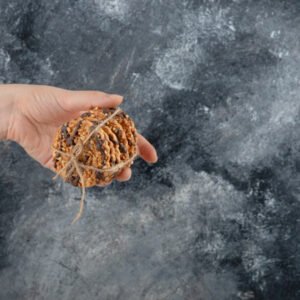
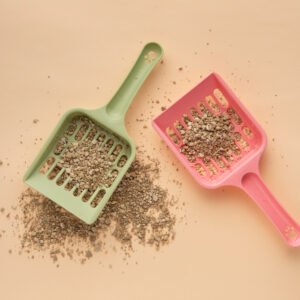
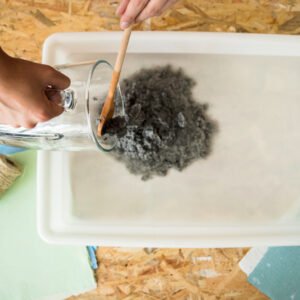
Desiccant bentonite clay is a naturally occurring mineral formed from volcanic ash deposits. The primary component is calcium montmorillonite, which has a highly layered structure that attracts and traps water vapour molecules. When processed into free-flowing granules, this clay becomes an effective moisture control agent.
The material remains chemically inert and non-corrosive, making it safe for use around sensitive electronics. Bentonite clay can absorb up to 15 times its weight in water, thanks to its porous structure with countless tiny spaces that capture moisture particles.
CMS Industries, a leading bentonite manufacturer in India, produces various grades of this material. The company operates ISO 9001:2015 certified facilities in Gujarat and exports bentonite products globally. Their manufacturing units near Mundra and Kandla ports produce specialised bentonite grades suitable for electronics protection.
Why Bentonite Clay Works for Laptop Protection
Bentonite clay offers several advantages over synthetic moisture absorbers, and the same properties that make GCL Bentonite effective in large-scale containment systems also contribute to its superior performance in electronics protection.
Natural and Safe: Unlike chemical desiccants, bentonite contains no synthetic additives. It meets US FDA and EU BRCGS requirements for food and drug contact, making it safe around all devices.
Superior Moisture Control: Bentonite’s adsorption capacity is substantial at low humidity levels and increases with relative humidity. This adaptive behaviour provides consistent protection across varying environmental conditions.
Cost-Effective Solution: Bentonite clay weighs slightly more but costs less per unit compared to alternatives. The material can be reactivated multiple times, reducing long-term replacement expenses.
Environmental Benefits: Manufacturing with naturally-occurring bentonite clay requires no water or chemicals, and little energy, making it more sustainable than synthetic options.
How to Use Bentonite Clay for Emergency Laptop Drying
When liquid spills on your laptop, quick action is critical. Here is why bentonite clay can help:
Immediate Response Steps
- Power Down Instantly: Press and hold the power button until the laptop shuts down completely. This prevents short circuits that cause permanent damage to internal components.
- Disconnect Everything: Remove the power adapter, external devices, and battery if possible. This eliminates all electrical current flowing through the system.
- Position for Drainage: Tilt the laptop at a 90-degree angle to let gravity drain liquid away from sensitive areas. Keep it in this position for at least two hours.
- Blot Surface Moisture: Use a lint-free cloth to gently absorb visible water. Avoid rubbing motions that push liquid deeper into the device.
Using Bentonite Clay Packets
After addressing visible moisture:
- Prepare a Sealed Container: Place your laptop in a large plastic bag or airtight container. The enclosed space concentrates the desiccant’s moisture-absorbing effect.
- Add Bentonite Clay Packets: Keep the disassembled laptop and its parts in a container with silica gel packs inside. The same principle applies to bentonite clay packets. Use multiple packets for better coverage, positioning them around (not on) the laptop.
- Allow Adequate Time: Leave the setup undisturbed for 48 to 72 hours. The desiccant will draw out moisture from the screen area and internal components during this period.
- Check Before Powering On: After the waiting period, inspect the laptop for any remaining moisture signs. Only attempt to turn it on when completely dry.
Preventive Moisture Protection for Laptops
Prevention beats emergency repairs. Here is how to use desiccant bentonite clay proactively:
Storage Protection
When storing laptops for extended periods:
- Place bentonite clay packets inside the laptop bag or storage case
- These little packets absorb moisture in small, enclosed places to prevent moisture from forming inside
- Replace packets every three months or when they show signs of saturation
Transport Safety
For those who travel with laptops:
- Keep 2-3 small bentonite clay packets in your laptop bag permanently
- The packets protect against humidity changes during travel
- They weigh less than comparable moisture absorbers
High-Humidity Environments
In monsoon regions or coastal areas:
- Store laptops with bentonite clay packets nearby
- Use dehumidifiers in rooms where you work regularly
- Keep work areas away from bathrooms and kitchens where moisture levels spike
Bentonite Clay vs Other Desiccants
Understanding how bentonite compares to alternatives helps make informed choices:
Bentonite Clay vs Silica Gel
Silica gel maintains its high absorption capacity over a broader and higher temperature range, but bentonite performs better in moderate conditions. Bentonite clay desiccants are not reusable once saturated with moisture, though industrial-grade versions can be reactivated with heat. Silica gel generally costs more initially, though its reusability may offset this.
Bentonite Clay vs Rice
Many people use uncooked rice for moisture absorption, but rice is not the most effective desiccant and may leave behind dust or starch particles. Rice grains can also lodge in ports and openings, creating new problems. Bentonite clay packets provide cleaner, more effective moisture control.
Bentonite Clay vs Calcium Chloride
When calcium chloride absorbs moisture, it becomes liquid which poses high risk for leaking and damaging products. Bentonite clay remains dry even at full capacity, eliminating leakage concerns around electronics.
Where to Source Quality Bentonite Clay
CMS Industries manufactures and exports bentonite products from their facilities in Gujarat. Their product range includes various bentonite grades suitable for electronics protection. The company processes bentonite lumps and powder in multiple specifications.
When purchasing bentonite clay desiccants:
- Look for packets wrapped in breathable materials like Kraft paper or Tyvek
- Choose appropriate sizes based on application (2g for small spaces, 6g for laptop bags, larger sizes for storage containers)
- Verify the product is natural bentonite without chemical additives
- Select suppliers with quality certifications
Best Practices for Using Desiccant Bentonite Clay
Proper Placement Guidelines
Place desiccants near items that need protection from moisture, distribute packets evenly, and avoid direct contact with metal surfaces. Keep packets in sealed environments for maximum efficiency.
Storage Recommendations
Store unused bentonite clay packets in airtight containers away from moisture sources. Keep them in cool, dry locations away from direct sunlight. Proper storage maintains the material’s absorbing capacity until needed.
Monitoring and Replacement
Replace bentonite clay packets when:
- They feel heavy or saturated
- Visible moisture appears on packaging
- After 3-4 months in high-humidity environments
- Following any water exposure incident
Some packets include humidity indicators that change colour when saturated, making monitoring straightforward.
Reactivation Process (If Applicable)
Preheat the oven to 250°F (120°C), place desiccant packets on a baking tray, and heat for several hours. Allow complete cooling before reuse. Note that paper-wrapped packets cannot withstand this process.
Understanding Laptop Moisture Damage Signs
Recognising water damage early allows faster intervention:
- Screen discolouration or foggy spots indicate trapped moisture
- Keyboard keys that stick or don’t respond
- Unusual smells like burnt plastic or metal
- Visible corrosion on ports and connectors
- System instability with random shutdowns
- Touchpad responsiveness issues
If these symptoms appear after water exposure, professional assessment may be necessary even after drying attempts.
Additional Protection Strategies
Combine bentonite clay use with these protective measures:
Physical Barriers: Keyboard covers and laptop skins provide first-line defence against spills. They create a waterproof barrier over vulnerable entry points.
Environmental Control: Air conditioning and dehumidifiers maintain optimal humidity levels (30-50%) that prevent condensation while keeping components safe.
Safe Practices: Keep drinks in sealed containers away from work areas. Create designated liquid-free zones around electronics.
Regular Backups: Even with protection, maintain current backups of important data. Cloud storage and external drives ensure data survival regardless of hardware condition.
When to Seek Professional Help
Bentonite clay provides excellent moisture control, but some situations require expert intervention:
- Laptop doesn’t power on after 72 hours of drying
- Visible water pooling inside the screen
- Persistent strange smells or sounds
- Corrosion appearing on internal components
- Data recovery becomes necessary
Professional repair services have controlled drying environments and specialised equipment that increase recovery chances for severely water-damaged devices.
The Science Behind Bentonite’s Effectiveness
Bentonite clay attracts and binds water vapour readily within its complex and highly layered structure. The material works through adsorption, where water molecules attach to the clay’s surface rather than being absorbed into its structure. This process continues until the material reaches saturation. Many people also ask, “does bentonite clay remove toxins?” While bentonite can bind certain impurities and charged particles due to its high cation-exchange capacity, its primary function in electronics and moisture control remains water vapour adsorption—not detoxification.
The clay’s large surface area relative to its volume provides numerous sites for water molecule attachment. As relative humidity increases, more water vapour becomes available for adsorption, increasing the material’s efficiency in damp conditions.
Making Bentonite Clay Part of Your Laptop Care Routine
Incorporate desiccant bentonite clay into regular device maintenance:
- Monthly Checks: Inspect packets in laptop bags and replace if needed. Look for signs of moisture accumulation in storage areas.
- Seasonal Adjustments: Increase packet quantity during monsoon season or in humid months. Reduce during dry winter periods.
- Travel Preparation: Add fresh packets before trips, especially to coastal or tropical destinations.
- Storage Protocol: Always include bentonite clay packets when storing laptops for extended periods.
Conclusion
Desiccant bentonite clay provides reliable, affordable moisture protection for laptops. Whether preventing humidity damage or responding to accidental spills, this natural mineral offers effective moisture control without harmful chemicals. By understanding proper usage and combining bentonite clay with good device care practices, you can extend your laptop’s lifespan and avoid costly water damage repairs.
CMS Industries continues to supply quality bentonite products for various applications, including electronics protection. Their commitment to manufacturing excellence ensures reliable moisture control solutions for businesses and individuals across India and globally.
Remember that while bentonite clay is highly effective, it works best as part of a comprehensive protection strategy. Combine it with careful handling, environmental awareness, and regular maintenance for optimal laptop care.
Frequently Asked Questions
Q1. Can bentonite clay packets damage my laptop?
No, bentonite clay is chemically inert and non-corrosive, making it safe for electronics. The packets should not touch components directly, but they pose no chemical risk. The clay remains dry even when saturated, preventing leakage that could harm devices.
Q2. How long does bentonite clay last in a laptop bag?
In typical conditions, bentonite clay packets remain effective for approximately three months. High-humidity environments may reduce this period to 6-8 weeks. Replace packets when they feel heavy or if you notice increased moisture in stored items. CMS Industries and other suppliers offer bulk quantities for convenient replacement.
Q3. Is bentonite clay better than silica gel for laptops?
Both materials work well, but they have different strengths. Bentonite clay costs less and works excellently in moderate temperature ranges. Silica gel performs better in extreme heat or cold. For most laptop users in India, bentonite clay provides sufficient protection at lower cost, making it the practical choice for everyday moisture control.
Q4. How many bentonite clay packets do I need for my laptop?
Use one 6g packet for a standard laptop bag. For sealed storage containers, calculate based on volume: one 2g packet per two litres of space. In high-humidity areas or after water exposure, double this quantity. CMS Industries offers various packet sizes to match different protection needs.
Q5. Can I use bentonite clay if my laptop is already wet?
Yes, bentonite clay packets help in emergency drying situations. After powering down and draining visible water, place the laptop in a sealed container with multiple clay packets for 48-72 hours. The desiccant draws out residual moisture from internal components. This method works best for minor spills; severe water damage requires professional service regardless of desiccant use.